Author: laplans

  • Challenge mode is here!

    Challenge mode is here!

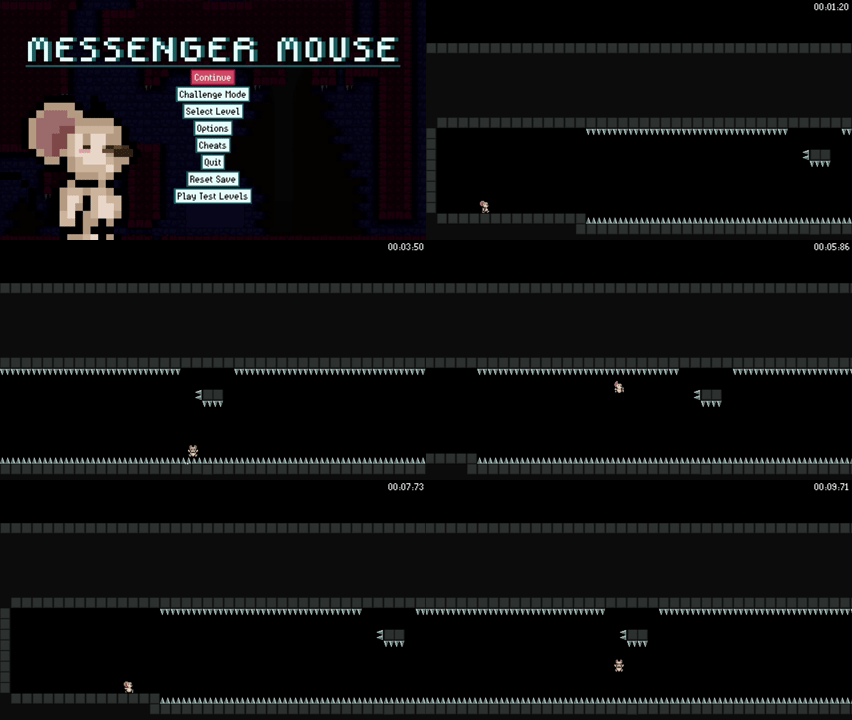
    Please give your warmest welcomes to the newest addition of the Messenger Mouse menu roster: Challenge Mode!

    If you seek glory this mode will be your red carpet. If you seek the thrill of snatching victory through the needle thread of defeat, then this mode shall be your frequent companion. If you seek to grind your platforming skills to their sharpest edge, then Challenge Mode will be your millstone.

    For real though, it’s tough stuff!
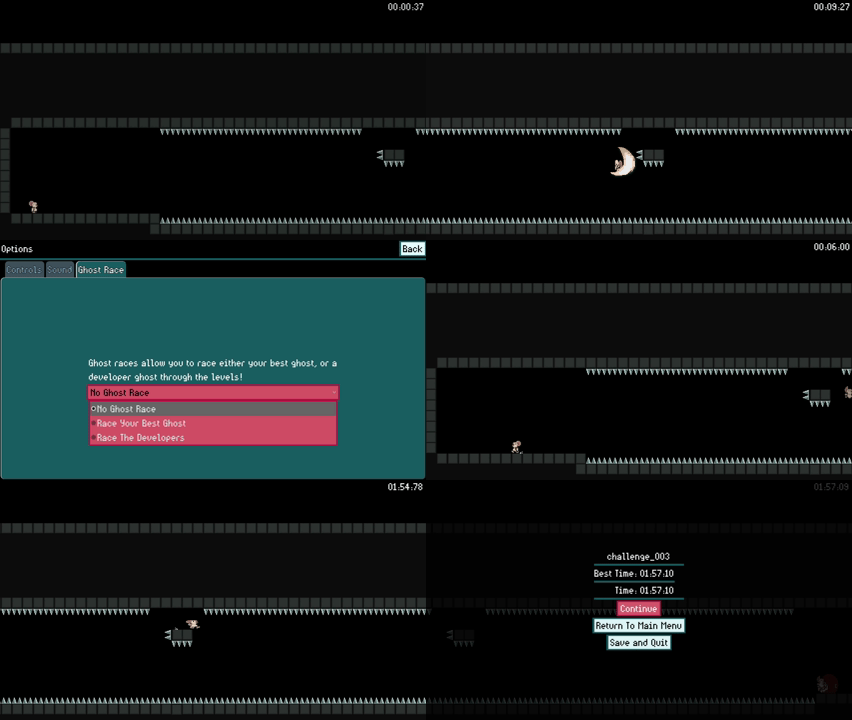
    Challenge Mode is a game mode that offers you small bite size levels for you to complete one by one. They are often very short, but very challenging. When making a game with so much movement, it’s common to wonder:

    What are the limits of the movement?

    How far can you jump?

    How high can you jump?

    Challenge Mode was built with these questions in mind.

    We are the type of gamers who will throw ourselves at a challenge 500 times to beat it once. We think a lot of gamers are like that, especially with the platforming genre. This shows in the popularity of games like Super Mario Maker, Celeste, N++, Dustforce, I Wanna Be The Guy, and Super Meat Boy. We are fans of these types of experiences and the demanding execution they ask of you. Challenge Mode is a place for us to make levels that will scratch that itch for players.

    Why make a challenge mode?

    There are several reasons. Here are a few:

    • Offers a way to explore the limits of the movement system in the game.
    • Allows for players to engage directly with the platforming mechanics without limitations of storytelling or theme-driven environments. 
    • Is a place for players to develop a sense of mastery with the game.
    • Provides an alternate “feeling” game experience compared to playing long multi-pathed single player levels. 
    • Provides a good sense of accomplishment and prestige. It’s impressive to beat all of them, and even moreso to defeat the staff ghosts on them! 
    • Gives an alternate progression path and a way to take a break from the levels of the main game.

    Designing Challenge Levels

    For this build, the goal was to come up with a solid set of 50 challenge levels. It can be tough to decide exactly how hard or how easy to make them. There is a line where a challenge starts becoming too demanding, to the point where it loses its appeal entirely. With that in mind we tried to avoid pixel perfect jumps, or too many spiked hallways unless they served a purpose. Each level tends to challenge a single skill, with each subsequent level testing something different from the last. Some levels require multiple checks of that skill to weed out luck, so you truly prove you can perform the skill asked of you. We wont claim they are all balanced yet, it takes lots of playtesting to find where the perfect amount of challenge lies. We’ve had to tone down many levels and will continue to make changes/tweaks to the difficulty and design going forward.

    It was also challenging to design these levels with a difficulty curve in mind. Our sorting method involves using arbitrary “difficulty” values assigned to each level (default at 0). For this initial build, we left that value at 0, so the levels are currently just sorted by name. Since the levels were built sequentially, they play out in the order we built them. Further playtesting will help us dial in appropriate difficulty values for each level.

    These levels may be tough, but they are very fast and you respawn quick, dulling frustration and letting you get right back into them. We may write another dev blog in the future talking about each individual level’s design. Stay tuned for that.

    Going Forward

    As we continue development, we will be making more challenge levels, adjusting the ones we have, and finding a better order for them by assigning appropriate difficulty values. The first batch came out pretty good, and there’s no reason to stop making them. Currently none of the challenge levels use breakable blocks, and only a handful explore the depths of what can be done with enemy interactions. So there’s plenty of room to keep growing as we develop the game further. 

    Is Challenge Mode too hard?
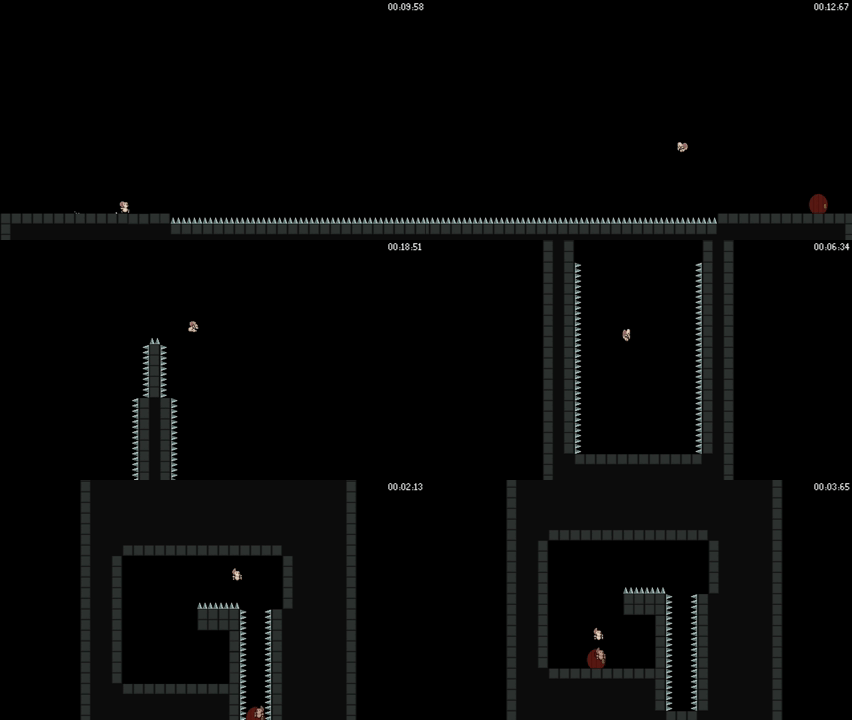
    Depends on the player.

    What about gamers who want an alternate progression path, side content from the main game, and all the other benefits that come from Challenge Mode, but don’t enjoy such a difficult challenge?

    We don’t want to leave these players behind and we plan to explore a middle ground “Obby” level (to borrow the Roblox terminology) as a way to create a challenge mode that is a bit different. In these obstacle course levels, the player will be presented with a long series of challenges all strung together in one large level they can constantly come back to.

    We have lots more planned for dialing in on the final set of game modes we offer in the finished game so stay tuned as we continue on this path towards the finished version of Messenger Mouse!

  • Record and Replay – Ghost Races

    Lots of games give you the option to race against a ghost version of previous runs. Common in racing games like Mario Kart, Forza, and Gran Turismo, we took a stab at adding this feature to Messenger Mouse. With the Messenger Mouse ghost race feature, it’s now possible to toggle between racing your best time, and racing one of the developer’s times through a level. The setting is available in the options menu.

    The latest development release is available in the Messenger Mouse development Google Drive folder. The May 2025 release has the initial ghost race implementation.

    This isn’t the first time I’ve implemented some sort of record/replay for character movement in Godot. One of my first games from about 5 years ago had a character record/replay mechanic. This version is much more refined and simple.

    Our goals for the ghost race feature were that the ghosts be shareable, small, and accurate. To make them shareable we went with an approach where each ghost is a separate file instead of integrating the ghost data into the player’s save file. This way sharing a ghost is as easy as sharing a file.

    To make the files small, we save the data in a custom binary format rather than using a more bloated format like JSON. This makes them more challenging to parse and change but ensures the file only contains the bare minimum bytes of information needed. Additionally, we take advantage of the compression features available when writing files with Godot to compress the ghost race data so it’s truly as small as possible.

    Finally, to make them accurate, we record the data in the _physics_process callback and we use the frame’s delta to increment a timestamp. This ensures that positions are recorded and synced independent from the current framerate. The following snippet is a stripped down version of the recording loop:

    func _physics_process(delta: float) -> void:
        if not recording:
            return
    
        timestamp += delta
        var player: Player = MainInstances.player
        if not player or not is_instance_valid(player):
            return
    
        var current_pos: = Vector2(player.global_position.x, player.global_position.y)
        var current_entry = GhostRecorderEntry.new()
        current_entry.update_keymapping()
        current_entry.timestamp = timestamp
        current_entry.position = Vector2(current_pos.x, current_pos.y)
        current_entry.animation = player.animation_player.assigned_animation
        current_entry.attack_animation = player.attack_animation_player.assigned_animation
        current_entry.set_facing_from_scale(player.flip_anchor.scale.x)
    
        if not len(ghost_data):
            print_verbose("Player start: ", current_entry)
            ghost_data.append(current_entry)
            return
    
        var last_entry = ghost_data[-1]
    
        if (
            last_entry.position == current_pos and
            last_entry.animation == player.animation_player.assigned_animation and
            last_entry.attack_animation == player.attack_animation_player.assigned_animation and
            last_entry.facing == current_entry.facing
        ):
            return  # Don't store duplicate entries
    
        print_verbose("Record player position: ", current_entry)
        ghost_data.append(current_entry)Code language: PHP (php)

    The above is just a snippet, but it’s fairly straightforward. We get the position, the keys currently being pressed, the animations being played, and the facing direction and save that in an array with the current timestamp. The keys are recorded with the update_keymapping() call which checks which keys are being pressed using the Input helpers in Godot and saves the information as a bitmap. We also make sure not to record any duplicate entries. If nothing changes there’s no need to make the ghost data larger.

    To create the ghost player and replay the data, we simply create a simplified version of the player. It doesn’t need all the collision shapes, and other nodes, all it needs is the player’s sprite and animation players to play the movement and attack animations.

    The ghost player script is so simple we can show the whole thing:

    extends Node2D
    class_name GhostPlayer
    
    @onready var animation_player: AnimationPlayer = $AnimationPlayer
    @onready var attack_animation_player: AnimationPlayer = $AttackAnimationPlayer
    @onready var flip_anchor: Node2D = $FlipAnchor
    
    var ghost_data: Array[GhostRecorderEntry] = [] : set = set_ghost_data
    var timestamp: float = 0.0
    var target_pos: Vector2
    
    func set_ghost_data(value: Array[GhostRecorderEntry]) -> void:
        ghost_data = value.duplicate()
    
    func _physics_process(delta: float) -> void:
        if not len(ghost_data):
            return  # Not initialized yet
    
        var next_pos: GhostRecorderEntry = null
        timestamp += delta
    
        while len(ghost_data):
            next_pos = ghost_data.pop_front() as GhostRecorderEntry
            if not len(ghost_data) or timestamp <= ghost_data[0].timestamp:
                break
    
        if not next_pos:
            return
    
        target_pos = next_pos.position
        global_position = lerp(global_position, target_pos, 0.90)
        if next_pos.animation and next_pos.animation != animation_player.assigned_animation:
            animation_player.play(next_pos.animation)
        if next_pos.attack_animation and next_pos.attack_animation != attack_animation_player.assigned_animation:
            attack_animation_player.play(next_pos.attack_animation)
    
        flip_anchor.scale.x = next_pos.get_facing_as_scale()Code language: PHP (php)

    We can’t be sure that the game will be running at the same rate now that it was recording at. It could be running on different hardware. So as we get physics frame callbacks in the _physics_process we check the ghost_data array and pop off each entry that has an old timestamp. So if we miss one because the game is running too slow or fast, then we’ll just skip it.

    We lerp the position of the ghost to handle situations where we have to skip an entry so that no matter what, the ghost moves smoothly through the level.